Transactions Tab
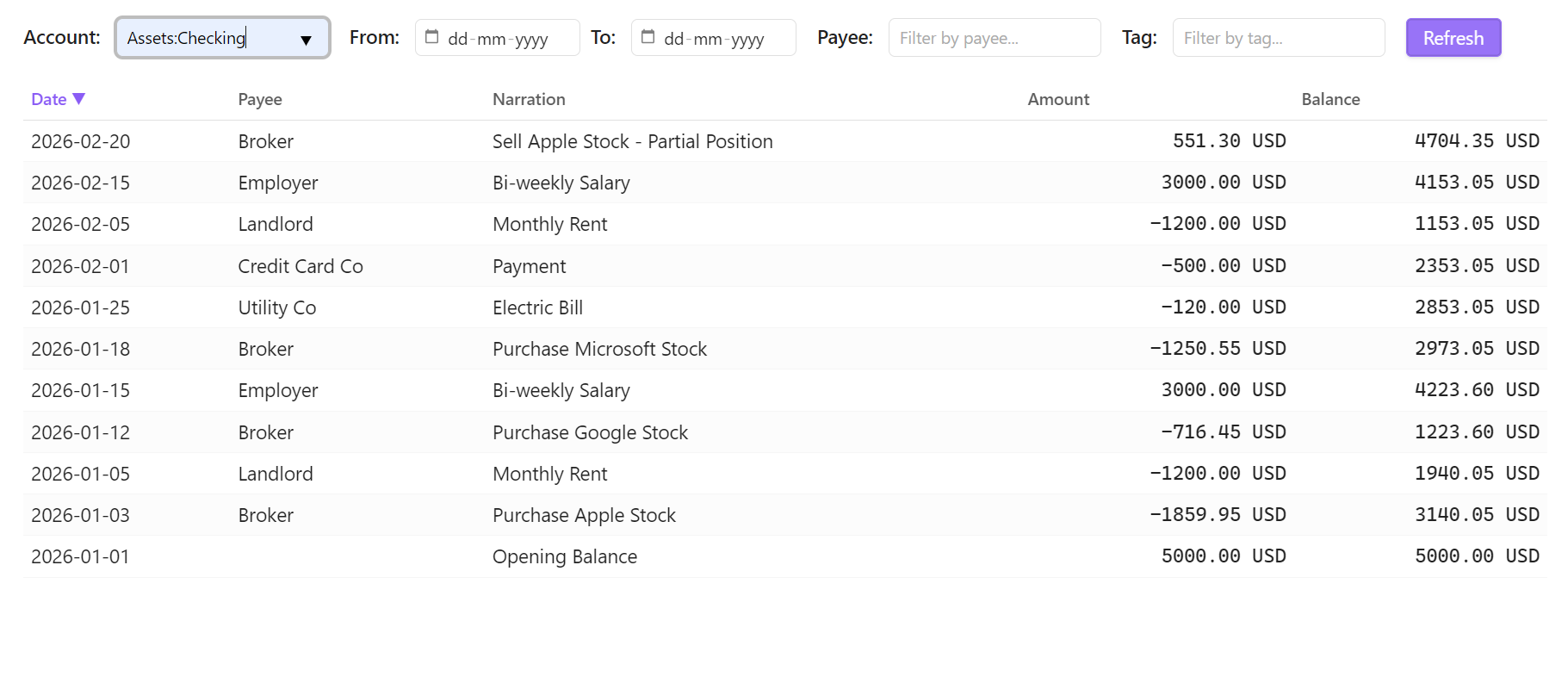
The Transactions Tab allows you to explore and search through your entire posting history with interactive, dynamic filtering capabilities.
🔍 Features
Dynamic Filtering
You can filter your transaction history by any combination of the following criteria:
- Date Range: Start and End dates (inclusive) to isolate specific timeframes.
- Account: Substring match on the account name (e.g. searching
FoodmatchesExpenses:Food:GroceriesandExpenses:Food:Restaurants). - Payee: Searches the transaction payee field for matching text.
- Tags: Filter transactions by specific hashtags (e.g.,
#vacation,#business).
Results Table
- Columns: Date, Payee, Narration, Amount, Balance.
- Sorting: Click any column header to sort by it (click again to reverse direction). Sorted by date (newest first) by default.
- Pagination: Respects the "Max Transaction Results" setting in your performance preferences.
- Interactivity: Click on any transaction row to open the editing view and make adjustments directly.